
Without check-in, Pulso Flow is a list of due dates
Annex to Attendance and check-in. Check-in is the only data the member generates on their own, without anyone asking and without anything typed in by hand. Everything the platform knows about who is on their way out comes from there. Two seconds at the door switch on nine features. Without those two seconds, none of them has anything to work with.
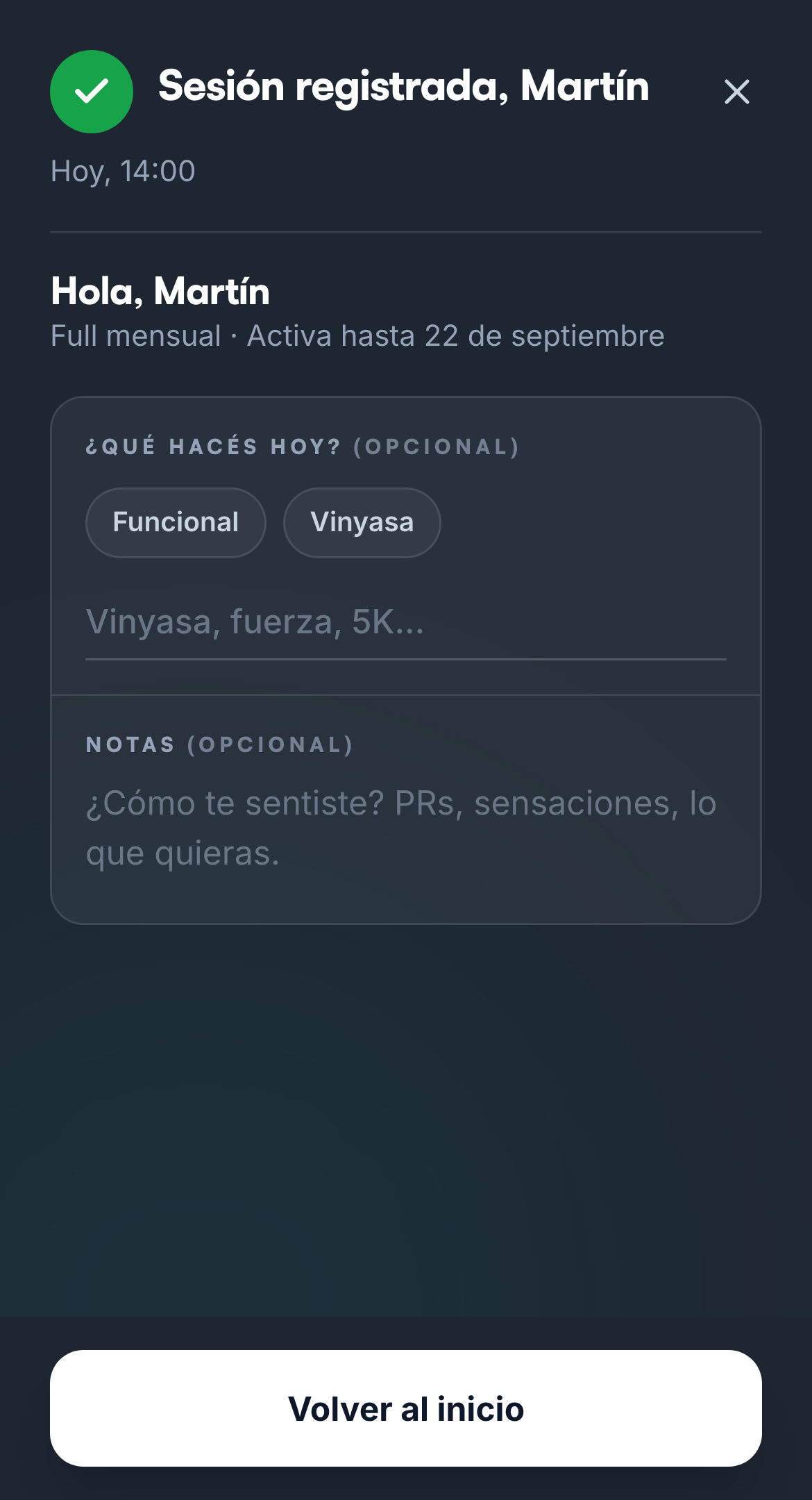
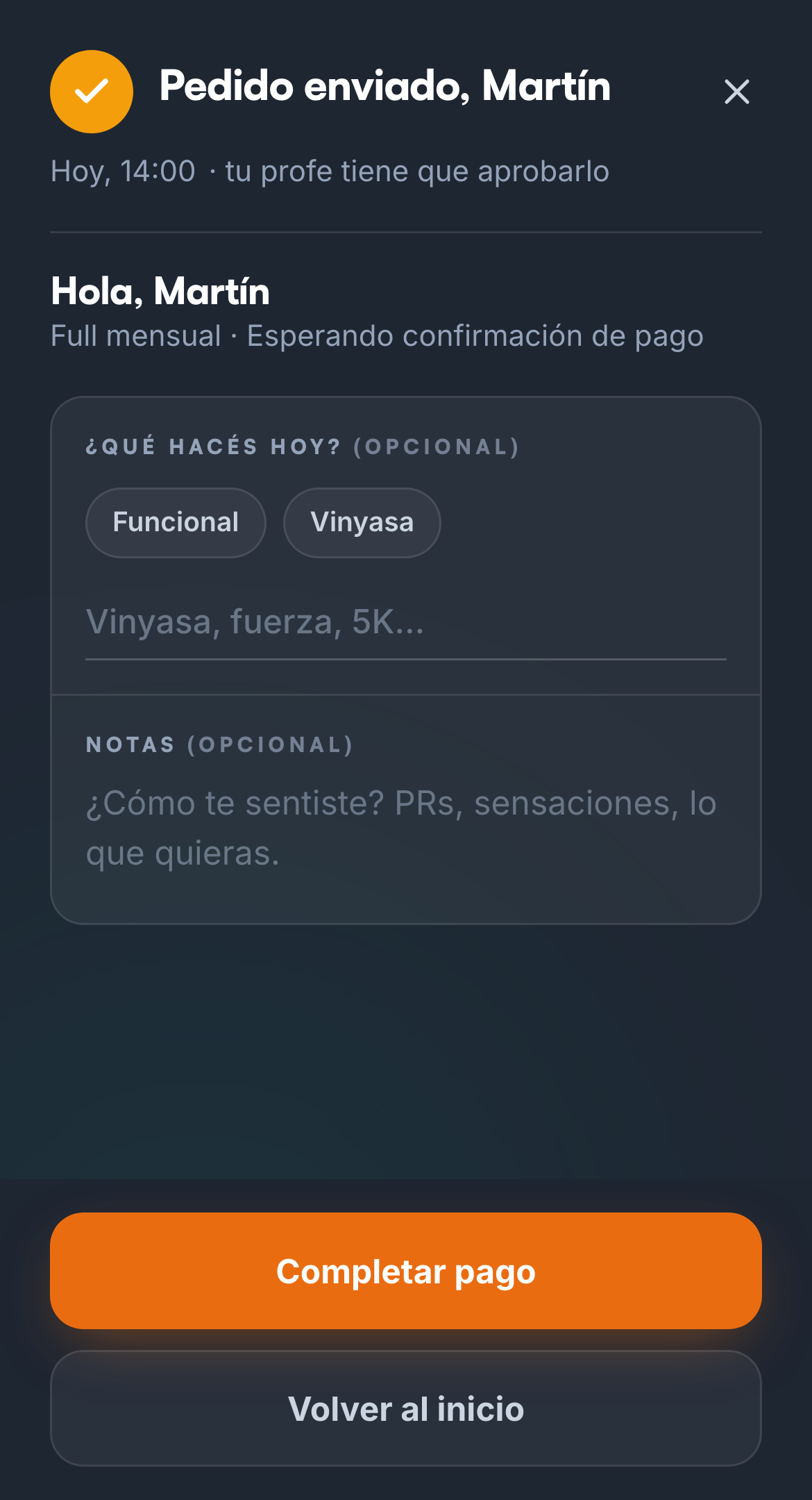
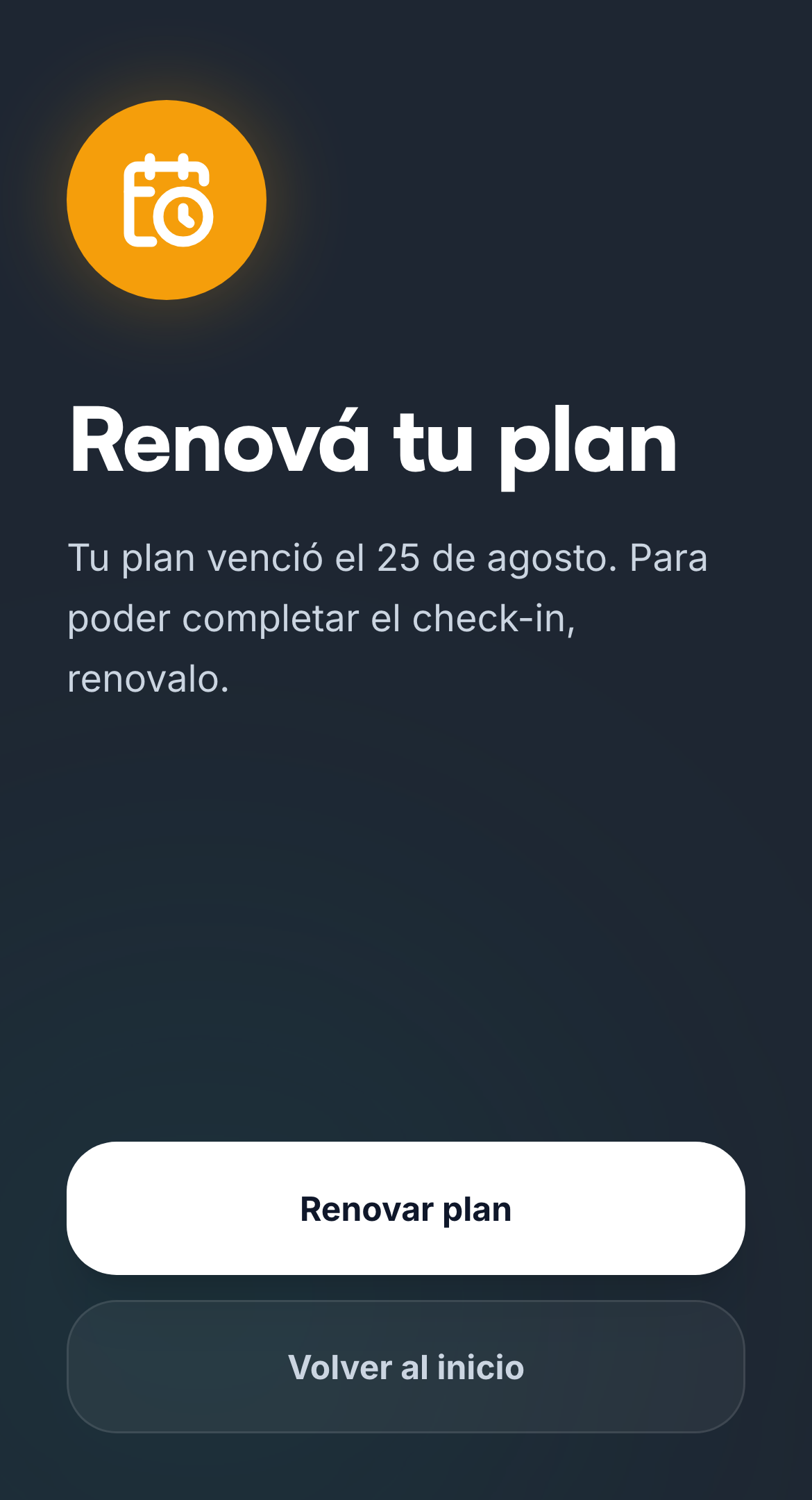
1. The member scans the QR with their phone
One check-in per day. Each location's QR is downloaded and printed from Your space.
TIP
A member who trains and doesn't scan is, as far as the platform is concerned, a member who didn't come. There's no way to tell them apart from the one who's leaving.
1b. Or the front desk records it
From the member's profile, for whoever forgot their phone.
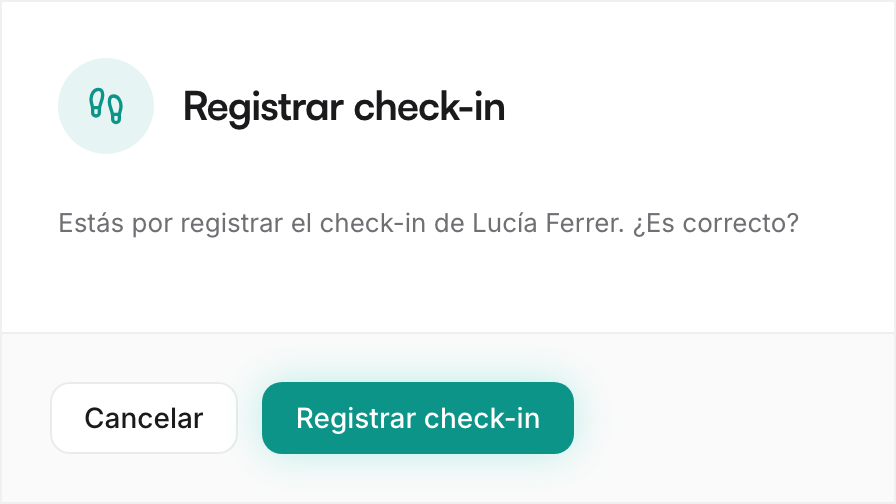
The one door with no barrier
An expired member gets in this way and is approved, like any other visit: they don't land in pending or in bounced. You keep it in check with the two filters below.
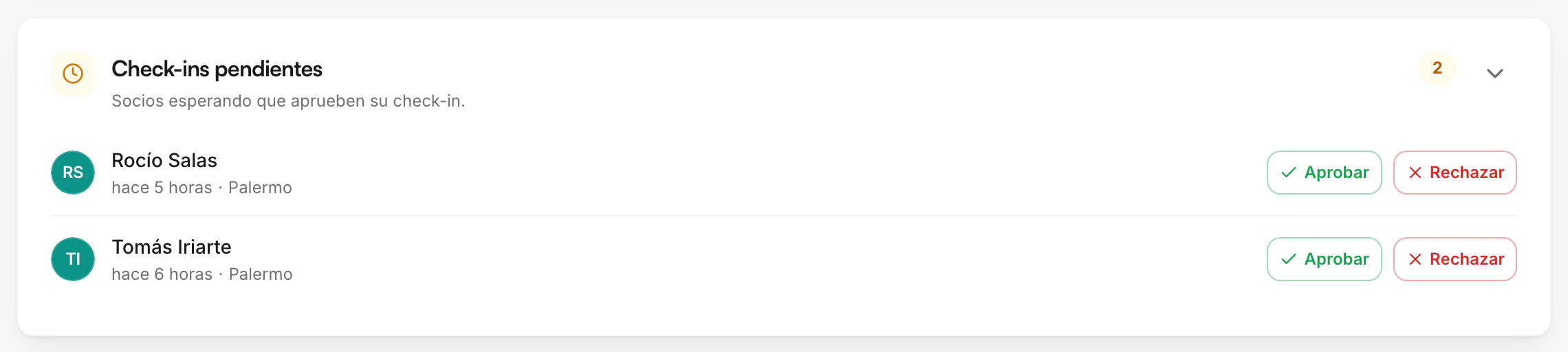
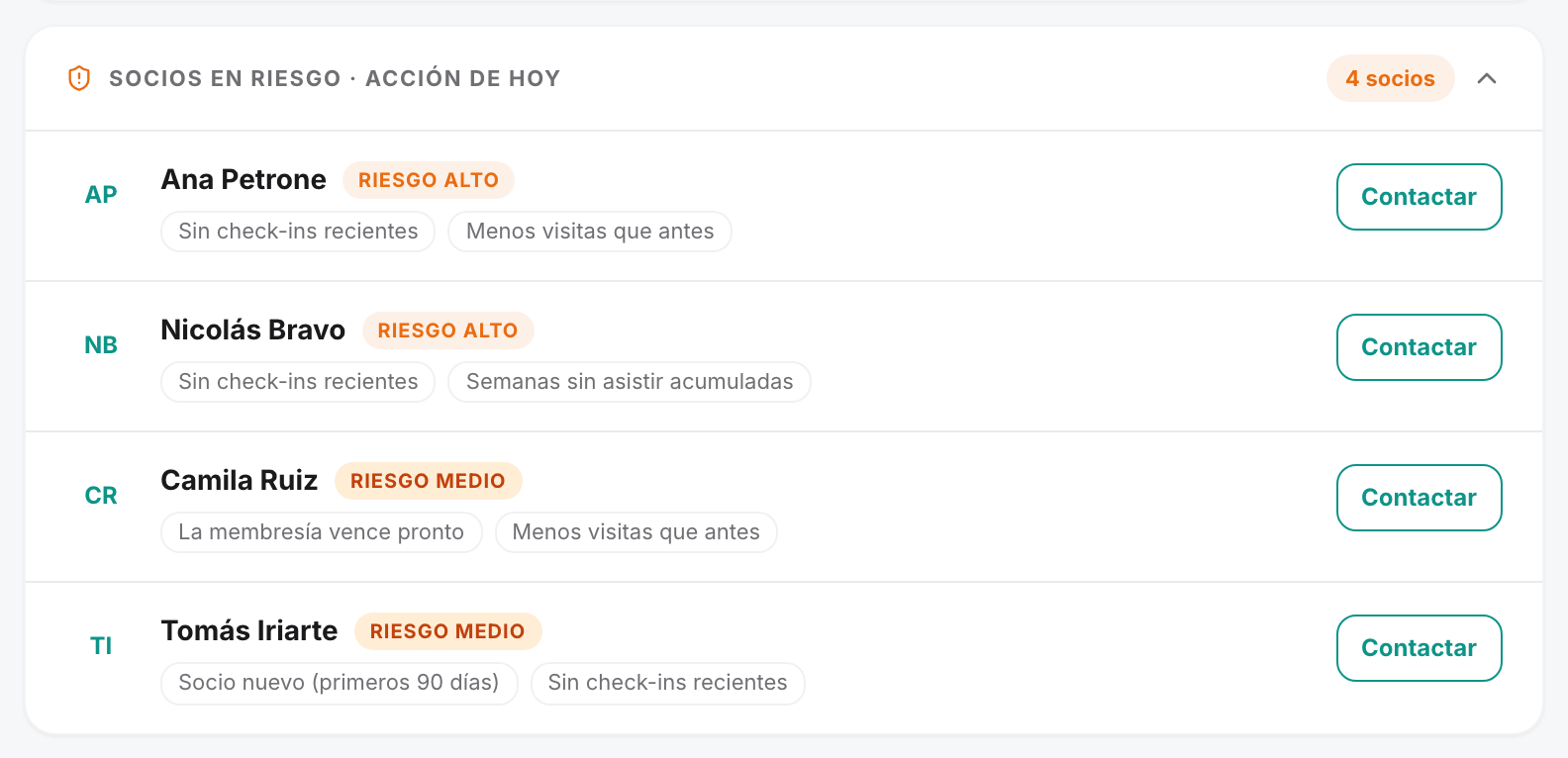
2. The app gathers what has to be resolved today
Both widgets are on Home, nothing to go looking for.

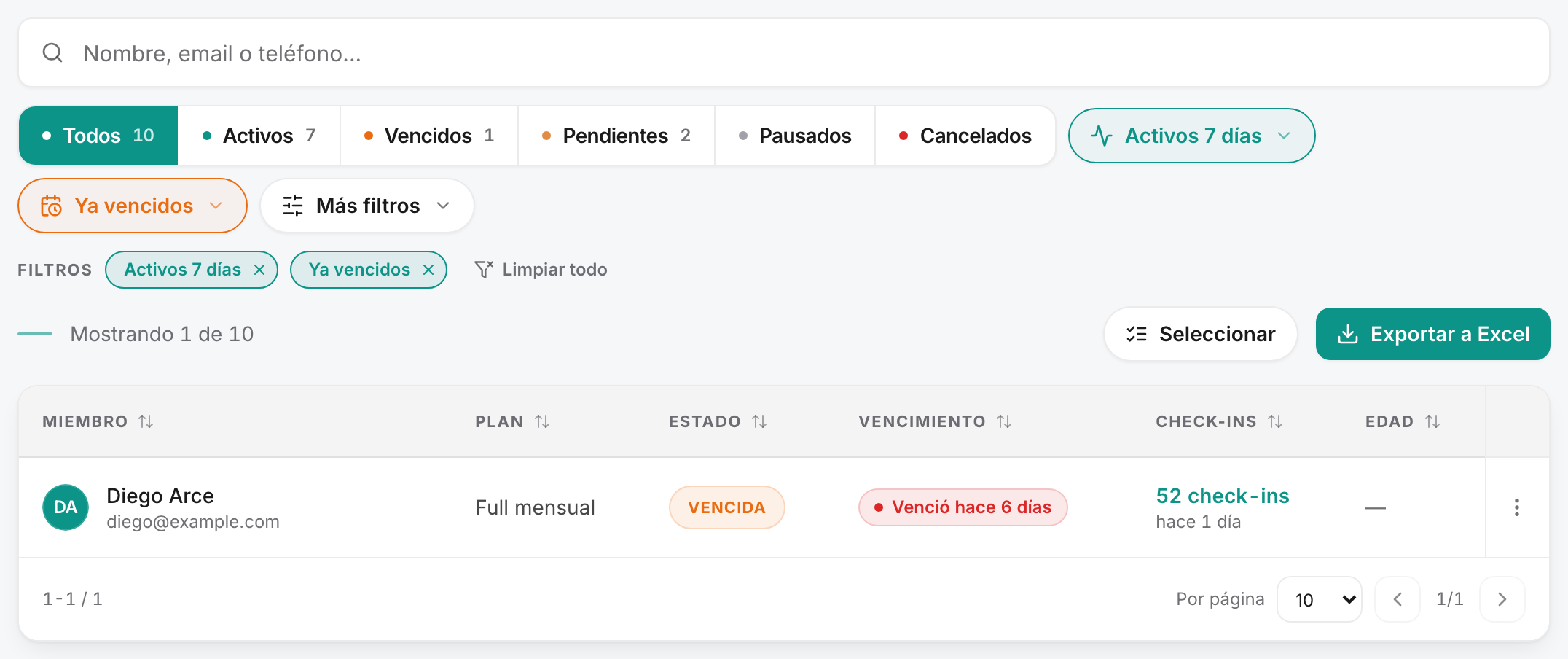
The five minutes on Monday
In Members, two filters: Already expired + Active in 7 days.
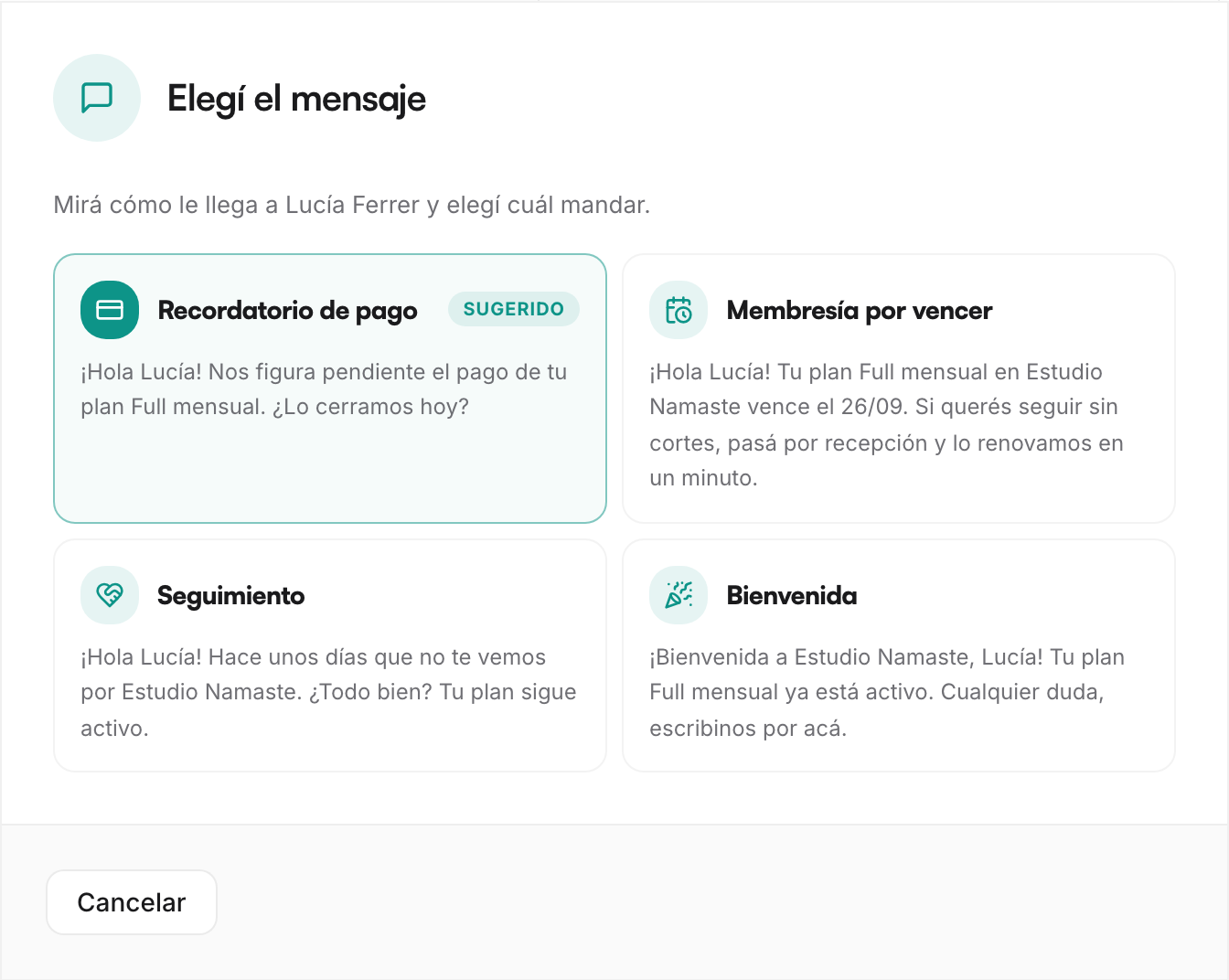
3. The message goes out with the text already written
One tap on the member opens WhatsApp with the template filled in.
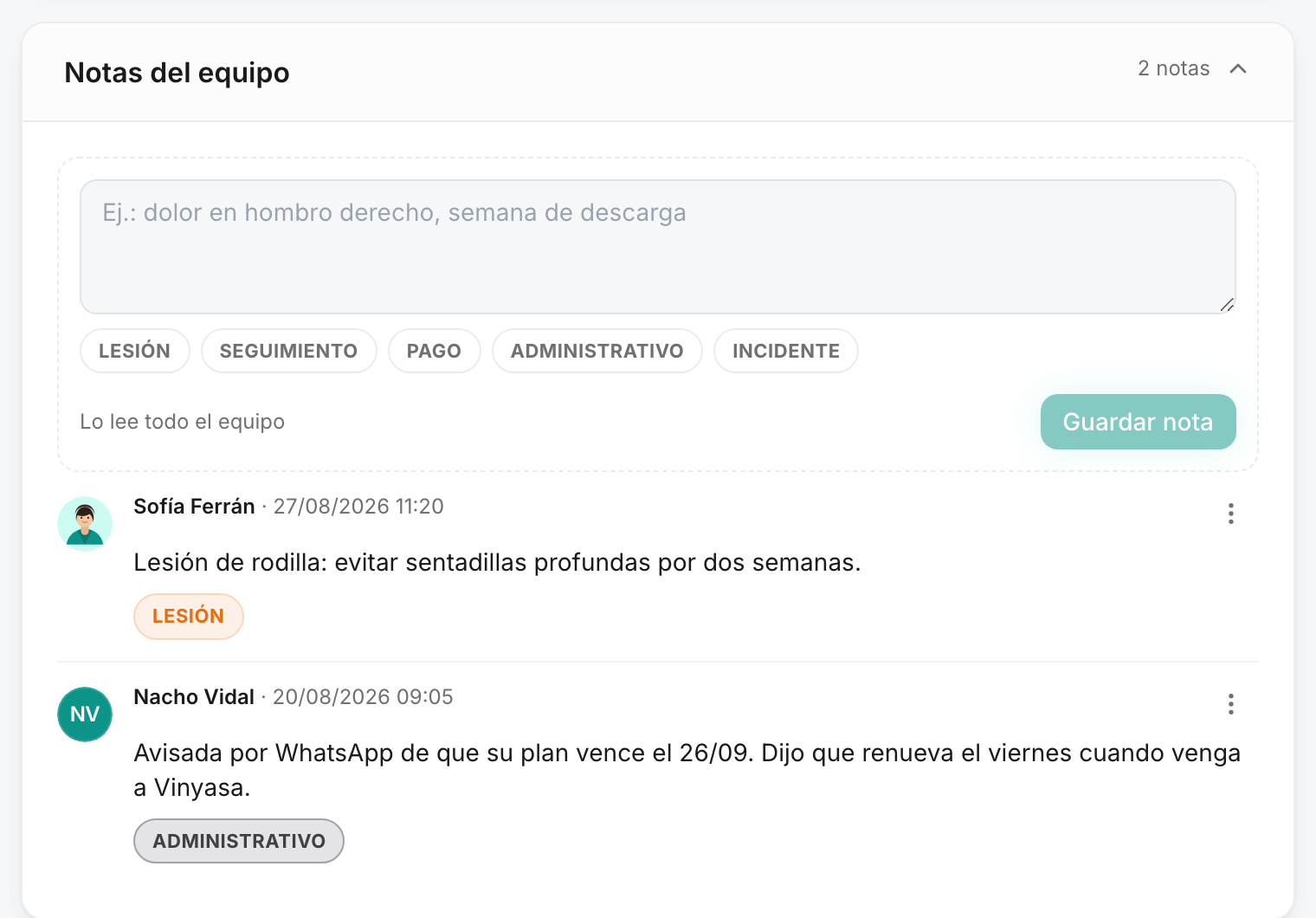
4. The note is the record
Administrative tag, one line. It's the only step that depends on someone actually doing it.
This is where all the work pays off
Retention builds the day's list on its own.
The door table
To keep at hand at the front desk.
| Membership status | Scans the QR | Front desk records it |
|---|---|---|
| Up to date | ✅ Gets in — approved instantly | ✅ Gets in — approved instantly |
| Payment pending | ⏳ Stays pending — approved from Home | ⏳ Stays pending — approved from Home |
| Expired | ❌ Doesn't get in — logged as bounced | ✅ Gets in as an exception — approved, unflagged |
| Paused, cancelled or inactive | ❌ Doesn't get in — the attempt is logged | ❌ Doesn't get in — it has to be reactivated |
| Per-visit plan, credits used up | ❌ Doesn't get in — weekly cap | ✅ Gets in anyway — the front desk has no cap |
| Single-location plan, scanning elsewhere | ❌ Doesn't get in — "Your plan doesn't include this location" | ✅ Gets in at their location — or the plan is moved to another one |
Five agreements with the team
Each one has a concrete cost if it isn't kept.
- The QR is always scanned, even when the place is packed. A whole class unrecorded wipes out the busiest hour of the week.
- Front-desk check-in is the exception. If it becomes the habit, you lose the signal of who was expired.
- Pending check-ins are resolved the same day. Unapproved, that visit counts in no statistic.
- If you sent a message, leave the note. Without a note, the next shift calls the same person again.
- Never record someone who didn't come. False data pollutes attendance, the member's streak and their risk level.
What switches off when the door doesn't record
It isn't that it works worse: it has nothing to work with. These nine things read check-ins.
| Where | What happens |
|---|---|
| Retention · At-risk members | 3 of the 5 reasons are computed from check-ins: no recent check-ins, fewer visits than before, weeks without attending. |
| Members · Activity filter | Its five options come up empty, including "never checked in", which becomes everyone. |
| Members · Check-ins column | No total and no last visit: the list can't be sorted by who comes most, because it doesn't show. |
| Home · Check-ins today | It reads zero with the place full. |
| Home · Bounced at the door | Only whoever tries to get in shows up. If nobody scans, nobody bounces and expired members walk in invisibly. |
| Automatic · Inactivity notice | Runs every Monday at 8:00 looking for members with 7 days without coming in. With no record, it finds no one and sends nothing. |
| WhatsApp · Suggested message | It stops suggesting Follow-up, which triggers at 7 days without visits. |
| Member detail · Visits, streak and total | The screen you open before picking up the phone comes up blank. |
| Member app · Their weekly streak | It's built on 3 visits per week. No scanning, no streak — and without the streak the member loses their one incentive of their own. |
TIP
A member's churn doesn't start the day the plan expires: it starts three weeks earlier, when they stopped showing up. You see the expiry either way, with or without check-in. Those three weeks only exist if the door records, and they're the only ones where something can still be done.
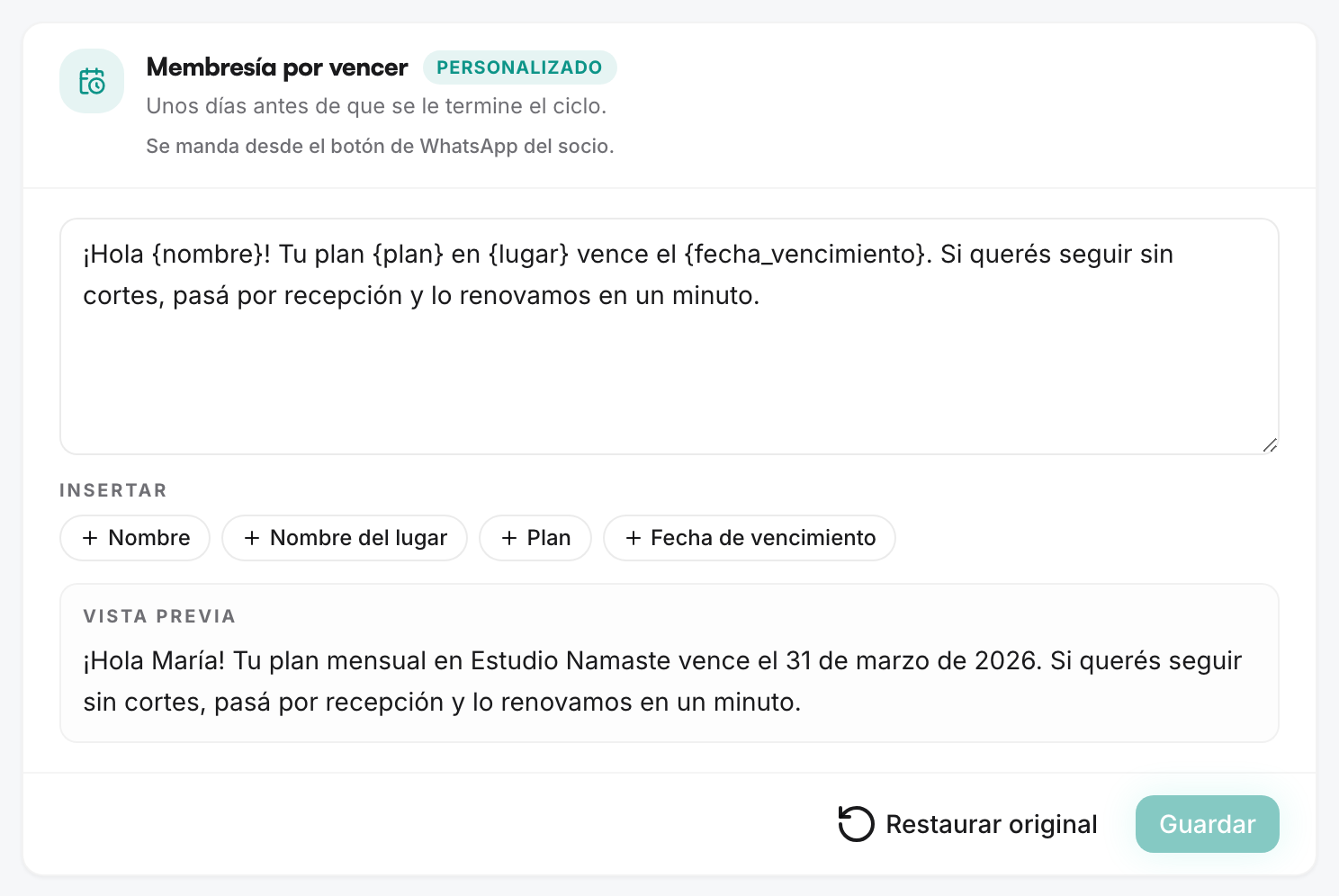
Each location's QR and the templates are in Your space; pending and bounced check-ins are on Home. The screenshots come from a demo account.