Payments and billing
Every time a member pays for their membership, it's recorded as a payment. Confirming a payment is what activates or renews the membership for the duration of the plan. Depending on the payment method, the flow changes a bit.
Payment methods
- Cash: staff records the payment on the spot and the membership activates instantly. There's also the variant where the member declares they'll pay in cash; in that case it stays pending until staff confirms it.
- Bank transfer: the member uploads the receipt (and optionally a reference). Staff reviews and approves it. You can also record the transfer in advance and ask the member to upload the receipt afterward; or approve it directly if you've already seen the transfer in your account.
- Mixed (part cash, part transfer): staff records a single charge split in two. It lands as two entries in the cash flow — one cash, one transfer — which the app shows together as one payment (for example, "$45,000 — $20,000 cash + $25,000 transfer"). Refunding one refunds both.
If the plan has a cash price, it applies only when the money comes in as cash (see Plans and memberships).
When a member declares they'll pay in cash, the app shows them who to hand it to: the list of owner and staff allowed to receive cash at their location. That way you don't end up with declared payments and no idea who collected them.
When the member pays from their app
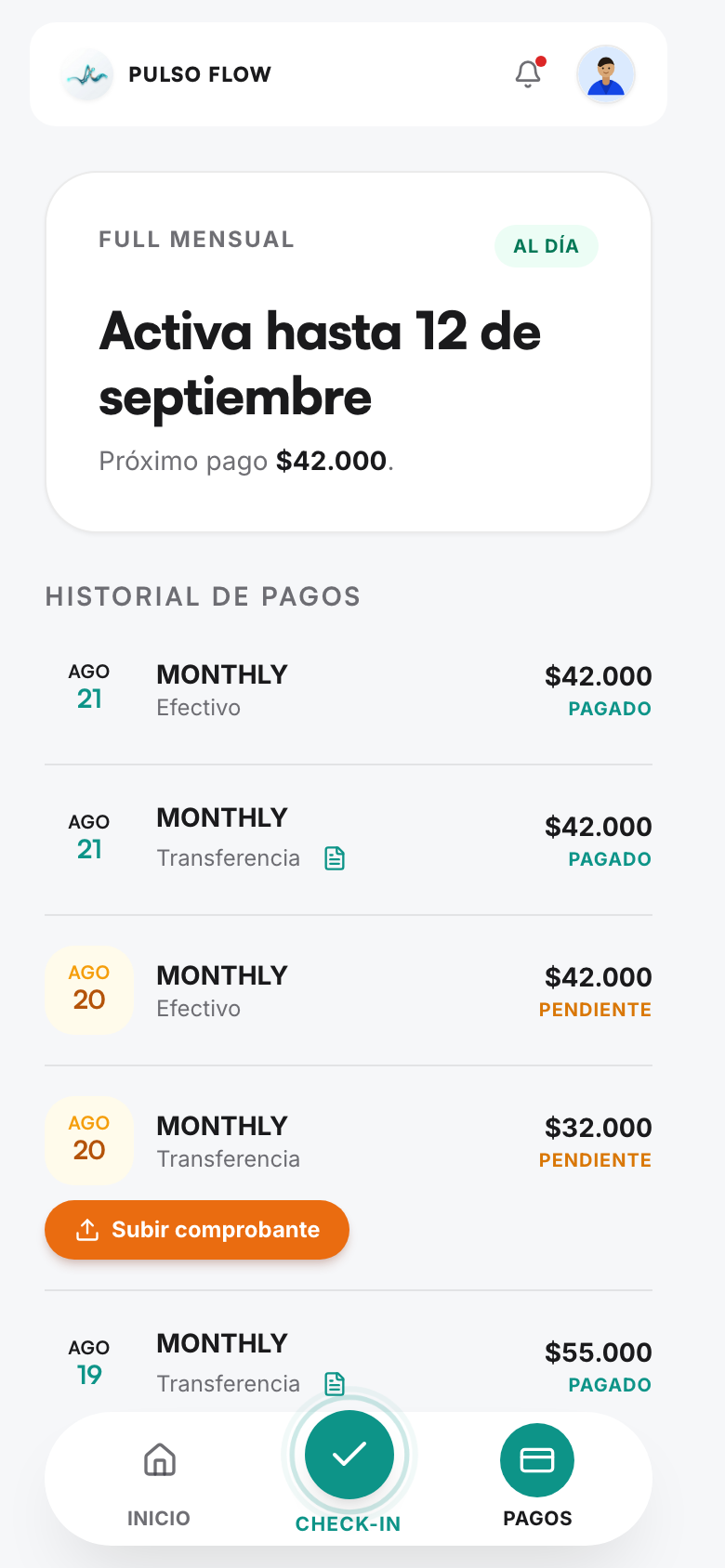
A member can pay their renewal from the app up to 14 days after expiration. Past that, self-service closes and the app asks them to contact the studio: staff records the renewal.
Payment statuses
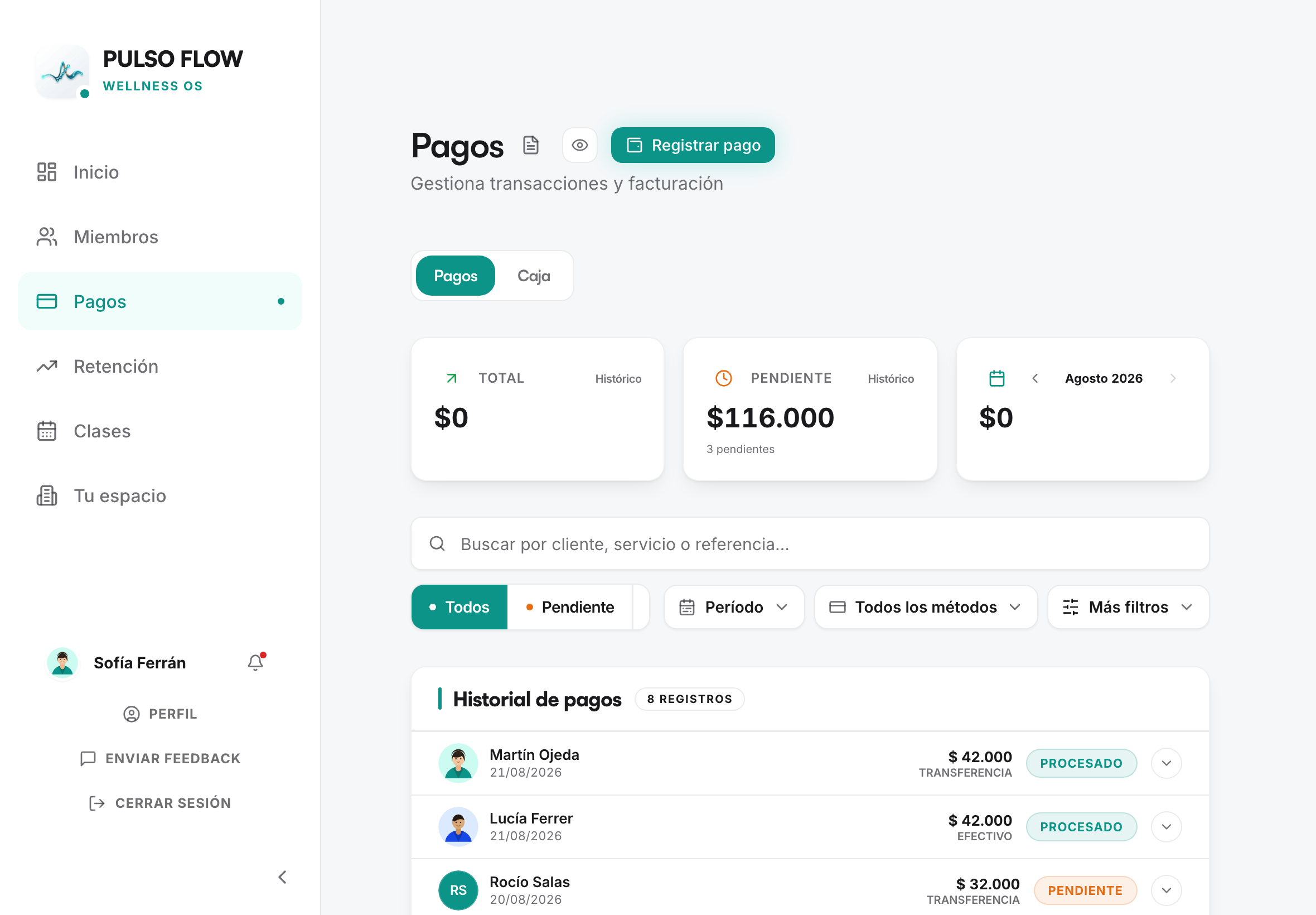
- Awaiting transfer: a transfer was recorded but the receipt is still missing. It doesn't activate the membership until it's approved.
- Pending: waiting for staff to approve it (for example, receipt uploaded or cash declared).
- Approved/Processed: confirmed. The membership becomes active or renewed.
- Rejected: staff didn't accept it. It carries a reason the member sees, and the membership doesn't change (the member can try again).
- Refunded: an approved payment was reversed (see below).
What happens to the membership on approval or rejection
- On approval: the membership becomes active and its new expiration is calculated (extended if it was already active, or starting fresh if it was expired). See the rules in Plans and memberships.
- On rejection: the membership isn't touched. The member sees the reason and can pay again.
Transfer receipts
In the transfer flow, the member uploads an image of the receipt. When they upload it, staff receives the notice to review and approve it. If you reject it, the member sees the reason.
Refunds
You can refund an already-approved payment (the owner/staff does this). On refunding:
- The membership goes back one cycle: the duration that payment had added is subtracted. If they still have valid paid time left, it stays active until that date; if they don't, it becomes expired.
- In other words, refunding a charge made by mistake doesn't take away the time the member had already paid for.
- In a family group, since the group is the billing unit, refunding the cycle's payment cancels all members of that cycle.
Charging in installments
If you agree with a member to pay the period in several parts, you open an installment agreement: you record the total, how many installments, and how many days the whole agreement buys. Then you collect installment by installment.
- Each installment buys its share of the days, not the whole period. The member is up to date as far as what's been paid.
- The member's plan doesn't change, nor does its cadence: the agreement rides on the payments.
- The member's profile shows the open agreement: total, collected, balance, how many installments are in and which one is next. The member also sees how much they've paid and how much is left.
- The agreement closes on its own once what's collected covers the total.
- An installment can't be a mixed payment, and a member can't have two open agreements at once.
Cancelling an agreement
If the agreement won't be completed, you cancel it with a reason (who and why are recorded). On cancelling:
- The agreement stops appearing on the profile.
- No money is returned and no days are removed: what was collected stays in the cash flow and the member keeps the time they paid for.
- Nothing is blocked: they can pay again whenever they want.
If money does need to go back, that's a refund of the payment (see above) — that's where the days of that installment are subtracted.
Amounts
Amounts come from the plan or from what you enter when recording the payment. The system never recalculates, prorates or adjusts amounts on its own.
Family group billing
A family group on a family plan shares a single payment cycle, and there are two ways to bill it: the whole plan at once or each member's share.
One question when you charge
When you take cash from someone who is in a family and on a family plan, the payment screen asks "How much are they paying today?", with each option's amount in plain sight:
| Option | Amount | What happens |
|---|---|---|
| The whole family plan | the plan's price | That payment leaves everyone in the group active, for the same period. |
| Only their share | the price divided by the members (editable) | A contribution is recorded into the group's shared bill. The others pay theirs separately. |
- The suggested share is the plan's price divided by the number of members; you can change it. If the plan has no valid member count, it suggests the full price so nobody is undercharged.
- The first contribution opens the shared bill on its own: you don't have to start it from the family's profile first. Below the amount you see how much the group has collected and how much is missing before it activates.
- The group activates only once the contributions cover the total. If the account is cancelled, the contributions are refunded.
- While the family has a paid cycle running, a split charge can't be opened: the family's profile tells you the date it's paid through and offers nothing.
- While a family cycle account is open or partially paid, a separate single payment for that group is not also accepted.
- On transfer and mixed, a contribution isn't an option (contributions are recorded as cash). There you get the "Charge for the whole family" checkbox, which does the same as "The whole family plan".
- The same question appears when you assign a new membership to someone in a family. If they also have to be added to the group, the add happens first and the contribution second: if the group rejects them, no money ends up booked against a family they don't belong to.
A payment that doesn't cover the plan's price never activates the rest of the family. If you take a partial amount, the money is still recorded, but the other members stay as they were. The cash price counts as full payment where it applies. Installments are the intended exception: the agreement's total is the plan's price, so each installment buys the family its proportional share of days.
What a member of a family sees
- If the payer covers the whole fee, the member sees "The head pays the fee — you don't need to pay separately", and no pay button.
- If the fee is being split among everyone (there's an open shared bill), they see how much the group has collected, how much is missing, and their pay button comes back. They see the group's totals, not what each member contributed.
One studio can do both things with different families: the app never tells anyone they don't have to pay until the payer's payment actually covers the group.