
Member communication
Pulso Flow keeps your members informed without you having to be on top of every detail: it notifies them when a payment is approved, when their membership is about to expire, when it's their birthday, and more. On top of that, you can send them messages whenever you need to.
Automatic notices
The system sends, among others, on its own:
- Payments: approved, rejected (with reason), refunded, pending, awaiting receipt, receipt received.
- Membership: activated, about to expire (a few days before), expired, paused, resumed, and a welcome message.
- Inactivity: when a member goes 7 days or more without attending.
- Birthday: an automatic greeting on the member's birthday.
- Rejected check-in: when staff rejects an entry, with the reason.
- Classes: a reminder for the booked class, and a notice if that date is cancelled.
- Location change: when you move the member to another location.
- Family group: changes in the group (it was created, someone joined or left, etc.). These notices go only to the group's members, not to staff or the owner.
The automatic ones each have their schedule: the birthday greeting every morning, the expiration ones during the night, and the inactivity notice once a week, on Monday mornings.
Messages you send
As owner or staff you can:
- Send a notice to a specific member.
- Send a notice to all active members (or narrow it to one location).
- View the history of notices sent to your members.
WhatsApp
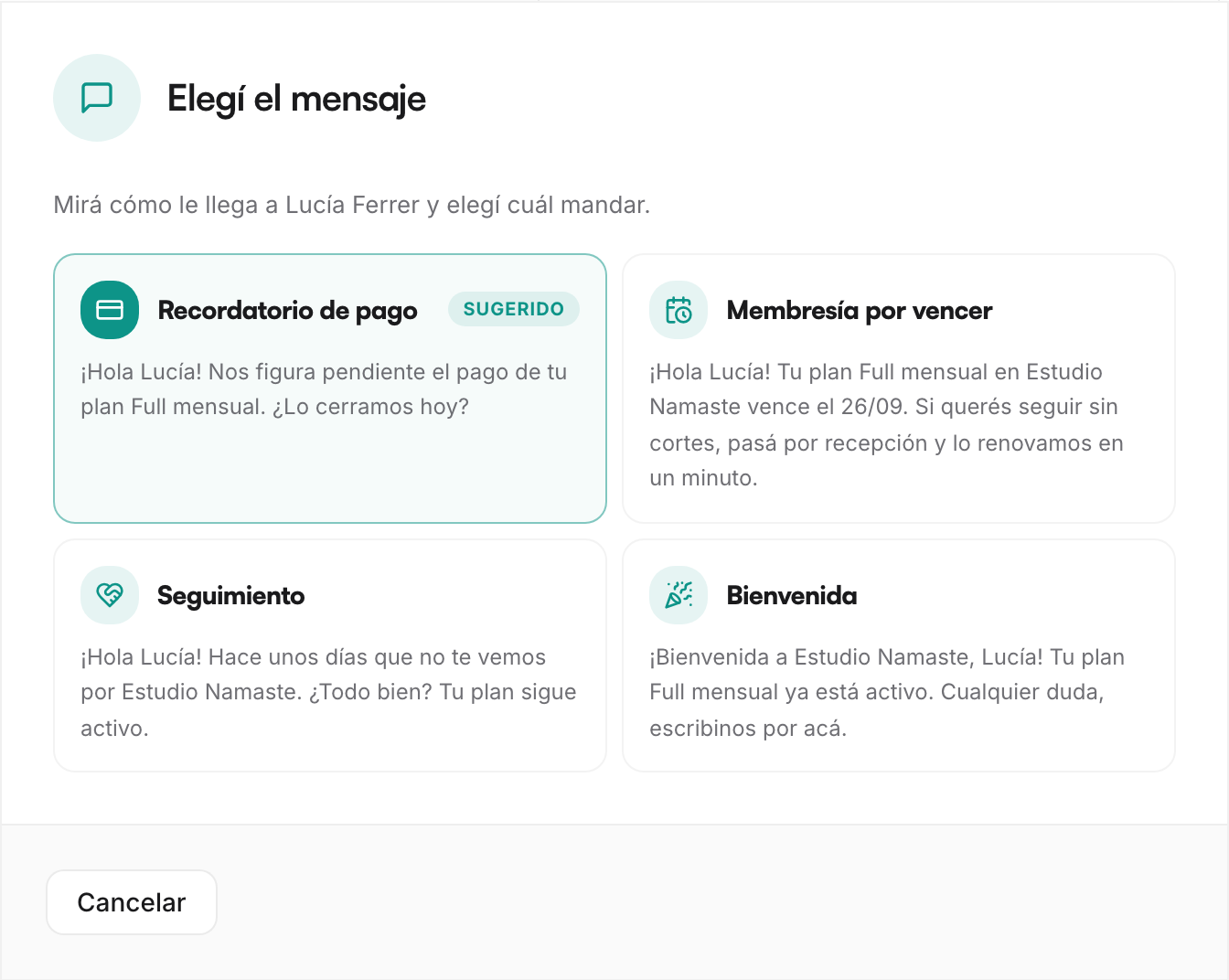
Beyond the in-app notices, you can message a member on WhatsApp with the text already written. Pulso Flow doesn't send the message for you: it opens the chat with the text ready, you review it and send it.
There are templates for the most common situations:
- Welcome for a new member.
- Payment reminder when they have a payment pending.
- Expiration alert when their membership is about to expire.
- Payment confirmation once approved.
You have it at hand from the member's profile (which picks the most fitting template based on their situation), from the member roster (with the Expiration filter, for the ones about to expire), and from a month's detail in Retention — for example, to message the ones who churned. It requires the member to have a phone number on file.
What the member sees
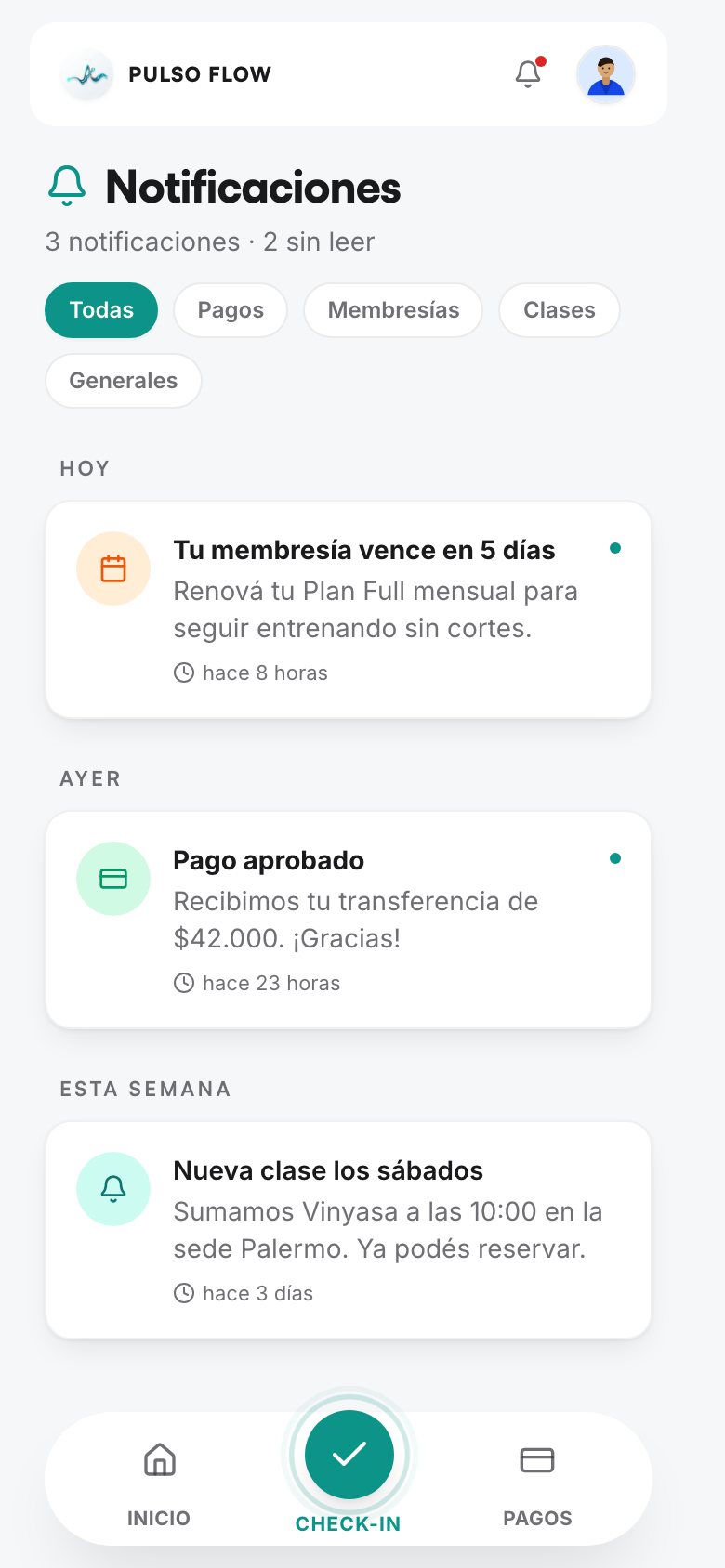
Each member has their notices inbox: they receive them in real time, see how many they have unread and can mark them as read.